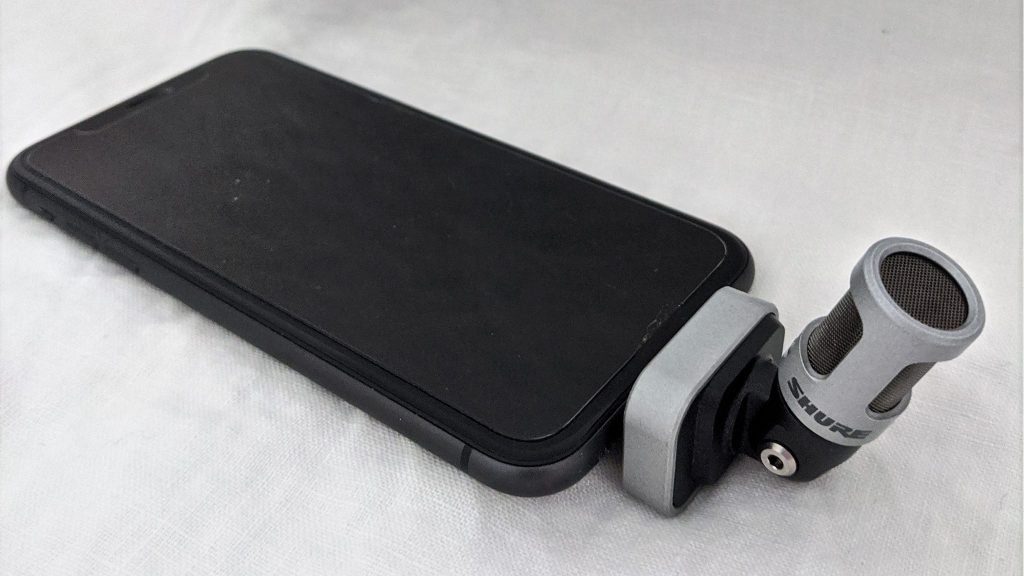
External microphones for captioning apps improve the accuracy of the captions. Your phone has a microphone built-in that is usually sufficient for speech-to-text apps. However, there are times when an external microphone helps even more. A remote external microphone works much better than your phone’s built-in mic when listening in noise or over distance. Even an external mic plugged directly into the phone will often give more accurate captions.
High quality in = high quality out
There are a few reasons why external microphones for captioning apps are better. High quality external mics have better hardware than the phone’s built-in mic. In addition, wireless external mics capture sound closer to the person speaking. There are various types of external mics. For instance, you could use a headset, a lapel microphone or a Bluetooth microphone. When you use these types of microphones with a speech-to-text app, the speech is more clear. More clear speech translates into more accurate text.
Specific speech-to-text apps
For speech-to-text apps, external mics connect to your device via the headphone jack or with a Bluetooth microphone. Some examples:
- The Otter.ai app uses your device’s own microphone, AirPods or a Bluetooth microphone.
- Google’s Live Transcribe app (Android only) uses your device’s own microphone or wired headsets, Bluetooth headsets, and USB mics.
- The Ava app uses your device’s own microphone or a wired or Bluetooth external microphone.
- The Microsoft Translator app recommends using a headset.
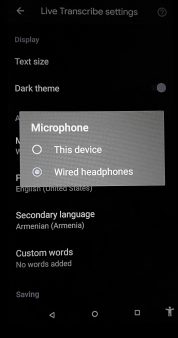
In the speech-to-text app, go into “Settings”. Then look for microphone settings. Check to be sure that your external mic is listed and selected.
Hard wired external mics
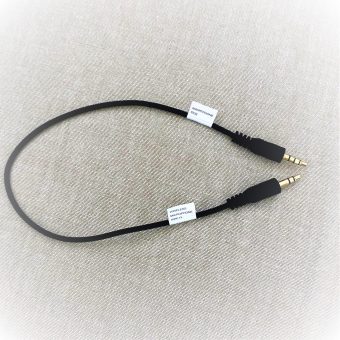
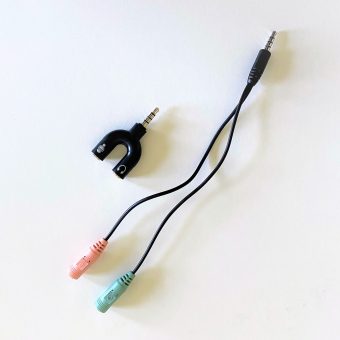
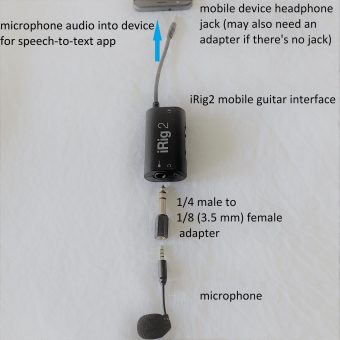
For a wired external microphone plugged into the headphone jack, it may say “wired headphones” or “headset microphone”. If “microphone” is grayed out or only says “built-in microphone” then your external mic is not recognized. If this happens, you may need a microphone/headphone splitter or audio interface, as shown below.