Bluetooth® allows compatible devices to communicate with each other wirelessly. The most recent version, called Bluetooth LE Audio is just emerging and enhances the performance of Bluetooth audio, adds support for hearing aids, and introduces AuracastTM broadcast audio. This promises to be a game-changer for people with hearing loss, giving much greater audio quality, lower battery consumption, less latency, audio sharing and much-needed universal interoperability between devices. It is starting to emerge in hearing aids, CIs, smartphones and other electronic devices and will hopefully start showing up in public venues toward the end of 2024. New dongles, streamers, neckloops and apps could enable people to use Bluetooth LE Audio without the need to replace their current devices if possible. When you understand Bluetooth communication and compatibility, you can use it in all aspects of your world. If you’re afraid to use a telephone or you argue with someone over the television volume, Bluetooth could change your life. Bluetooth commonly connects things like a headset, speakers, hearing aids, mouse, keyboard, printer, game-pad or car radio to other things like a smartphone, tablet or computer or TV. Until recently, in order for two devices to use Bluetooth communication, they must pair once, connect each time, support the same type of Bluetooth and profiles and be within range of each other.
Read on to learn more about:
- broadcast
- pairing
- connection
- compatibility
- range
- proprietary BT
- latency
- add-on BT
Broadcast
The latest version of Bluetooth includes Auracast™, a broadcast capability which enables one transmitter can send the same audio sound to an unlimited number of receivers. This is the latest offering in assistive listening systems in public venues, which will soon emerge in places like airports and gyms and bars with silent TVs. Accessing a broadcast will require searching to find and join an Auracast™ broadcast similar to how you search for and connect to Wi-Fi networks today, scanning a QR code or tapping on a physical button displaying the Auracast logo.
Pairing
To achieve Bluetooth communication, two devices using Bluetooth Classic and Bluetooth Low Energy (BLE) must first “pair” with each other. This is like an introduction and ideally it only happens once and they remember each other from then on. It’s possible to have up to 8 devices paired together in a network. The process to pair varies by device. Both devices need to be in pairing mode and within a few inches of each other.
**To pair an Apple mobile device to newer hearing aids, they may use “made-for-iPhone” Bluetooth technology found under “accessibility” settings. Click for more info.
In general, on a mobile device or computer:
-
- click on “settings” icon
- look for “Bluetooth” or “connections” or “connected devices” and click on it
- slide the button to turn Bluetooth on
- put the other device into pairing mode as well
- hearing aids often go into pairing mode for a short time if you turn them off or open the battery door, wait a few seconds, then turn them on or close the battery door
- put the other device into pairing mode as well
- your device may start searching automatically for other devices or you may need to select “+pair new device” or “add a device”
- hopefully your device then shows up under “other devices” or “available devices”
- click on your device from the list
- your device may ask if you want to “pair” and may ask you to enter the passkey given by the other device
- click on “ok” or “pair”
- if all goes well, pairing is complete!
Connection
Aside from a broadcast connection described above, once paired, Bluetooth devices need to connect each time they want to communicate. Typically only two devices connect at a time.
-
- ideally, two devices connect automatically when they are within range of each other.
- if two devices do not automatically connect, try one or more of the following, starting with the first:
- go into your Bluetooth settings and on the list of paired devices, click on the one you want to connect to
- try turning Bluetooth off and back on
- try turning off Bluetooth on other devices nearby that may be interfering.
- “forget” a device and go through the pairing process again
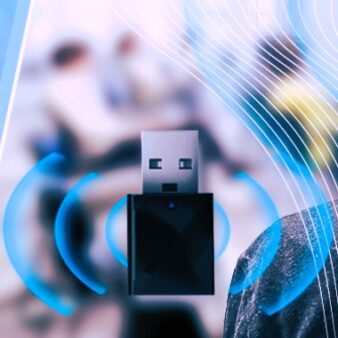
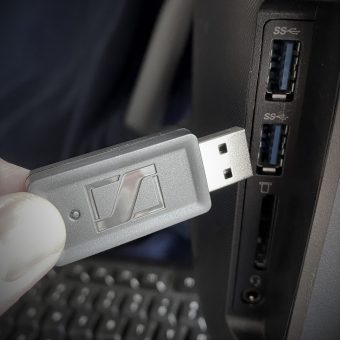
- use a USB Bluetooth adapter (aka dongle) for a more reliable Bluetooth connection and pair then connect again
Type or version compatibility
Like most technologies, Bluetooth continues to improve in speed, energy consumption, range and capabilities, which leads to new versions. Bluetooth communication requires that both devices support the same type of Bluetooth. For example, many older (pre-2009) Bluetooth-enabled landline phones only support older Bluetooth versions < 2.1 and may not support the HFP profile so they won’t work with many newer hearing aids. You should check in the user guides for both devices to see what they require for profiles and versions.
-
- Bluetooth Classic is the original radio protocol that is still in wide use for streaming audio and voice.
- Bluetooth Low Energy (BLE) came out in version 4 (2010). BLE uses much less power and in exchange, it sends less data at a time.
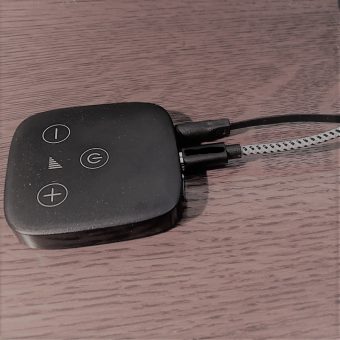
- Hearing devices must work for up to 16 hours straight each day and be small in size, so power consumption is a big deal. Phone calls and other audio you listen to wirelessly in real-time (called streaming) drains power. In recent years, intermediary devices like streamers and remote microphones helped hearing aids and mobile devices/computers overcome these issues. As things continue to improve, newer hearing aids can stream directly to smartphones and other devices.
- Bluetooth LE Audio came along with the release of Bluetooth version 5.2 in January 2020. BLE Audio promises high quality audio, low power consumption and multi-stream capabilities. People with hearing loss are eager for new capabilities this will bring to hearing aids and other audio devices. The latest version is backward compatible with Bluetooth 4.0 or newer but you won’t get any of the benefits of the new technology.
Profile compatibility
Bluetooth profiles are a set of rules about how devices exchange data. Two devices need the same profile in order to communicate, a bit like speaking the same language. Profiles are based on functionality. Common audio profiles:
-
- HSP = Headset profile, for simple exchange of mono audio like a phone call.
- HFP = Hands Free Profile, like HSP but allows more wireless control of a device, like answering a call on a headset even with your phone in your pocket.
- A2DP = Advanced audio distribution profile, streams high quality audio in one direction only. Used to stream music on mp3 devices and smartphones, among other things. To stream music, both the sending and receiving devices need the A2DP profile.
Some of the new BT LE Audio profiles (learn more here)
-
- BAP = Basic audio profile
- HAP = Hearing access profile
- PBP = Public broadcast profile
If you successfully stream some audio and not others, your devices may share one profile but not another.
Range
Two devices have to be within range of each other for Bluetooth communication. The transmission power governs the range over which it can operate. In general:
-
- class 1 are the most powerful and can operate up to 100 m (328 ft)
- class 2 (the most common kind) operate up to 10 m (33 ft)
- class 3 are the least powerful and don’t go much beyond 1 m (3.3 ft)
- Bluetooth 5.0 increased the range to 240 m (787 ft)
- Bluetooth 5.3 – over 100m range in open space, expandable with repeater mode
Proprietary Bluetooth
There is also proprietary Bluetooth, such as “made-for-iPhone” on Apple devices, which requires a licensing agreement between Apple and hearing aid manufacturers. Some hearing devices have a license and others use Bluetooth classic without a license. If your device isn’t on the MFi list, try to connect via the standard Bluetooth way.
Devices may also use proprietary Bluetooth between things like hearing aids and TV adapters so they work only within a specific brand.
Latency
The process involved in Bluetooth communication takes time, so Bluetooth has a delay called latency, which keeps improving. This can be an issue in certain situations:
-
- When you watch someone’s facial cues and lip read either live or via video, latency may cause what you hear to be out of sync with what you see. That may annoy you or make it too difficult to understand.
- If you receive sound directly into your ears or through your hearing aid mics as well as streamed via Bluetooth, you may hear the same sound two or three times, which makes it harder to understand speech. If so, mute your hearing aid mics or at least turn them down as much as possible.
- Intermediary devices like a remote mic or streamer can add another layer of latency, although it may not be an issue in every use.
Bluetooth® is a registered trademark of Bluetooth SIG, Inc.