Mobile Phones

mobile phones on-the-go connectivity

three women in aprons looking at mobile phones
Photo by Ketut Subiyanto, pexels.com

Mobile phones, and especially smartphones, make the world a lot more accessible for people with hearing loss. People increasingly enjoy mobile phones on-the-go connectivity. In fact, 96% of Americans and over 60% of people on the planet have a mobile phone (Turner, A., 2021). Mobiles phones have a lot to offer for high-quality audio, texts or captions and in some cases, visual cues.

Basic mobile phones

People with basic mobile phones benefit from lower-cost and simple on-the-go communication. Texting is a great alternative to voice calls for people with hearing loss. In addition, basic mobile phones often have a jack so you can plug in a headset and listen with two ears.

Smartphones

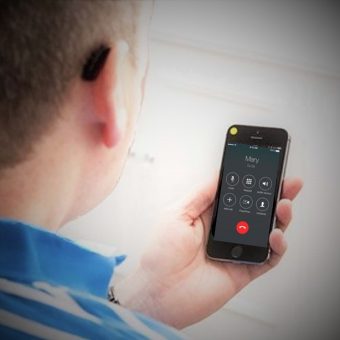
If you are fortunate enough to have a smartphone, you have great sound, captions and facial cues at your fingertips. You can use both ears to hear on your phone, in most cases wirelessly. Smartphones also give you captions to conversations as they occur. In addition, video calls allow you to lip-read the people you’re talking with. This is just a sampling of the powerful tools that smartphones provide for people with hearing loss.

On-the-go considerations

Mobile phones on-the-go connectivity is great, yet sometimes you end up in some noisy places. This makes it hard to hear on your phone. For instance, it is challenging in your car, at a busy transportation hub or along a busy road. It’s especially important in these settings to listen with both ears if possible and text if needed. Also be sure to mute your hearing aid microphones if you stream a call wirelessly.

Read on for more about:

  • hearing friendly features on smartphones
  • hearing-related apps
  • call captioning service and equipment
  • built-in captions
  • compatibility with hearing aids/CIs
  • listening with two ears is better than one

Your preferences and needs determine which phone is the better option for you.
smartphone hearing friendly features

  • Captions – for calls in real-time, phone messages and really helpful speech-to-text apps. Read what you can’t hear.
  • Apps – computer programs offering various useful tools. See more below…
  • Bluetooth – connects wirelessly with newer hearing aids or with a streamer. This enables you to hear with both ears on the phone wirelessly.
  • Text Communications – send texts and emails instead of voice communication.
  • Change ringtone – find a melody in frequencies you hear better.
  • Volume control  –  increase the volume to hear others better.
  • Flashing lights – alerts you to incoming calls, messages or alerts.
  • Vibration – alert you to incoming calls, messages and other events.
  • Tone Control – adjust frequencies to better fit your hearing profile.
  • Speakerphone – to hear with both ears.
  • Caller ID – helps prepare you when someone starts talking on a call.
  • Closed Captioning for Video  supports captions/subtitles for videos.
  • Headset jack – to plug in a headset or streamer and hear with both ears (may require an adapter).
  • HD Voice – provides a fuller, more natural sounding voice calling experience, plus noise cancelling technology that helps to reduce background noise. The HD Voice feature must be available on both wireless handsets and in the wireless networks to function.
  • Hearing Aid Apps – most hearing aid manufacturers offer apps that interact with hearing aids, such as programs, volume control and advanced features like teleaudiology in some cases.
  • Video Calls or Conferencing –  get important visual facial information like lip reading using two-way video. Apps include FaceTime, Google Duo, Skype, Zoom, Google Meet, etc.
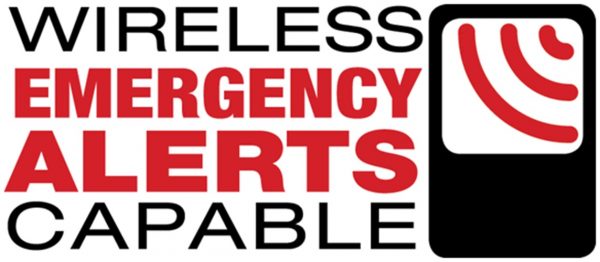
  • Wireless Emergency Alerts (WEA) are alerts for severe weather emergencies, imminent threats to life or property, AMBER alerts, and Presidential alerts are sent to all WEA-enabled devices in the impacted region. Both the phone and network need WEA for it to function. Check your phone’s settings or packaging for a WEA symbol and search for a list of WEA compatible devices on your mobile carrier’s website. You may need to enable WEA in the phone’s settings.

  • Text to 911  lets you contact emergency services by sending a text to 911 instead of calling. It is very important that you give your location to the dispatcher.

  • Real-Time Text  is text transmitted as it is being typed and displayed immediately to the receiving person(s). Real-Time Text is a replacement for TTY. You can text and use voice at the same time.

Real Time Text

apps for hearing

Apps are software programs that perform a wide variety of functions. There are amazing apps for people with hearing loss that do all sorts of things. Check out apps for real-time speech-to-text, captions for phone calls and voicemail and other content, hearing tests, amplifiers, sound level meters, alerts, equalizers, audible navigation, tinnitus assistance, hearing aid adjustments,  aural rehab, restaurant noise ratings and public venue audio or captions.

Click to learn more about apps for better hearing accessibility

call captioning services and equipment

People with hearing loss can get free real-time captioning of phone calls on smartphones and landline phones. This service is provided as part of a federally-funded program, regulated by the FCC.

You may also qualify for a free or low-cost phone and other equipment and services. Learn more here.

built-in smartphone captions

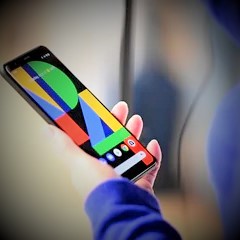
Google has captions built-in on their Pixel phones running Android 10 and up with a feature called Live Caption.

mobile phone compatibility with hearing aids/CIs

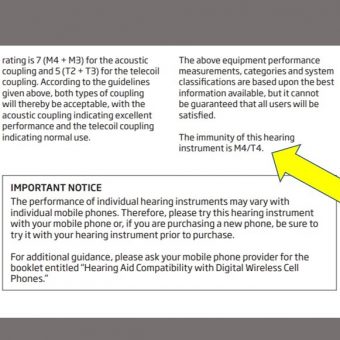
You may hear buzzing if your hearing aid/CI and phone are not compatible. The FCC requires a certain percentage of mobile phones to be hearing aid/CI compatible. Hearing aids are also rated for compatibility (immunity). Check your user guide for more info.

For mobile phones, all mobile wireless service providers and device manufacturers must offer handsets that are compatible with (do not cause interference with) hearing aids and cochlear implants. The easiest way to find a list of compatible mobile phones by your cell carrier is to Google (Verizon, AT+T, T-Mobile,….) and “hearing aid compatible phones”. Two measures are used:

  1. First, all digital handsets have a rating for their ability to reduce interference with hearing aids operating in regular acoustic mode from M1 to M4 (M4 is best). The FCC considers them compatible if they are rated M3 or M4.
  2. Handsets are also rated from T1 to T4 (T4 is best) for their ability to operate with hearing aids while in telecoil mode (a telecoil is a tiny coil of wire that converts sounds into electromagnetic signals in some hearing aids). The FCC considers them compatible if they are rated T3 or T4.

two ears are better than one

Research shows that people with hearing loss have an additional 40% or better improvement in speech understanding when they send audio wirelessly to both ears from their phone, compared to typical phone use with one ear (Jespersen & Kirkwood, 2015). No matter what kind of mobile phone you have, you can benefit by listening to calls with two ears.


Direct Bluetooth streaming to hearing aids/CIs

  • The technology in mobile devices, hearing devices and wireless systems evolve rapidly and the combination of the three is fairly daunting! For the latest information and more in-depth answers, please check these resources. As of 2020:
  • Certain made-for-iPhone  hearing aids with Bluetooth can send your calls straight to your ears. Apple offers a license to hearing aid manufacturers to use Apple Low Energy Audio and 2.4 GHz transmission for hearing aids to communicate directly with iPhones. The pairing process is found under Accessibility then Hearing settings. Other hearing aids with standard Bluetooth can connect to iPhones using regular Bluetooth pairing.
  • Android 10 also supports direct streaming to certain hearing aids called “Audio Streaming for Hearing Aids” (ASHA). Click to learn more about Android streaming
  • The newest Phonak premium hearing aids use classic Bluetooth that connects directly to many iOS and Android phones.
  • From the Resound website “full streaming compatibility with Android devices requires minimum Android v10 and Bluetooth 5.0 and that functionality has been enabled by the phone manufacturer and service carrier.”


Indirect Bluetooth streaming to hearing aids/CIs

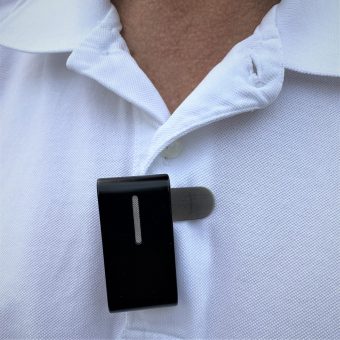
remote microphone for hearing loss clipped on shirt

Proprietary Bluetooth-enabled streamers and remote microphones are like a translator between the Bluetooth audio on a phone and the non-Bluetooth audio used by certain hearing aids/CIs. They need to be Bluetooth compatible. Streamers and remote mics that have a built-in microphone allow you to be hands-free.


Direct Bluetooth streaming to earbuds/headsets

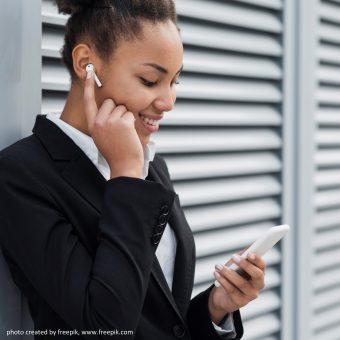
Use your phone’s Bluetooth settings to pair your phone to your Bluetooth compatible earbuds, AirPods or headsets so you can hear with two ears wirelessly.


Wired listening

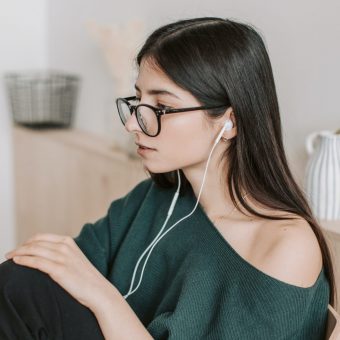
girl in green sweater wearing inline-mic earbuds

Even a basic mobile phone with a headset jack allows you to listen with two ears instead of just one. Read more about wired audio connections and for phone calls,  be sure to choose an option that includes a microphone.

Gathering Sound